
How do I use a protein tracker day to day?
- Set a personal daily protein goal in your profile. You can change the target; it is not a medical recommendation.
- Photograph your meal or describe its ingredients and amounts. For example: 200 g plain yogurt, oats and a banana.
- Review the identified foods and portion sizes. Correct them in chat if needed, such as: That was cottage cheese, not yogurt.
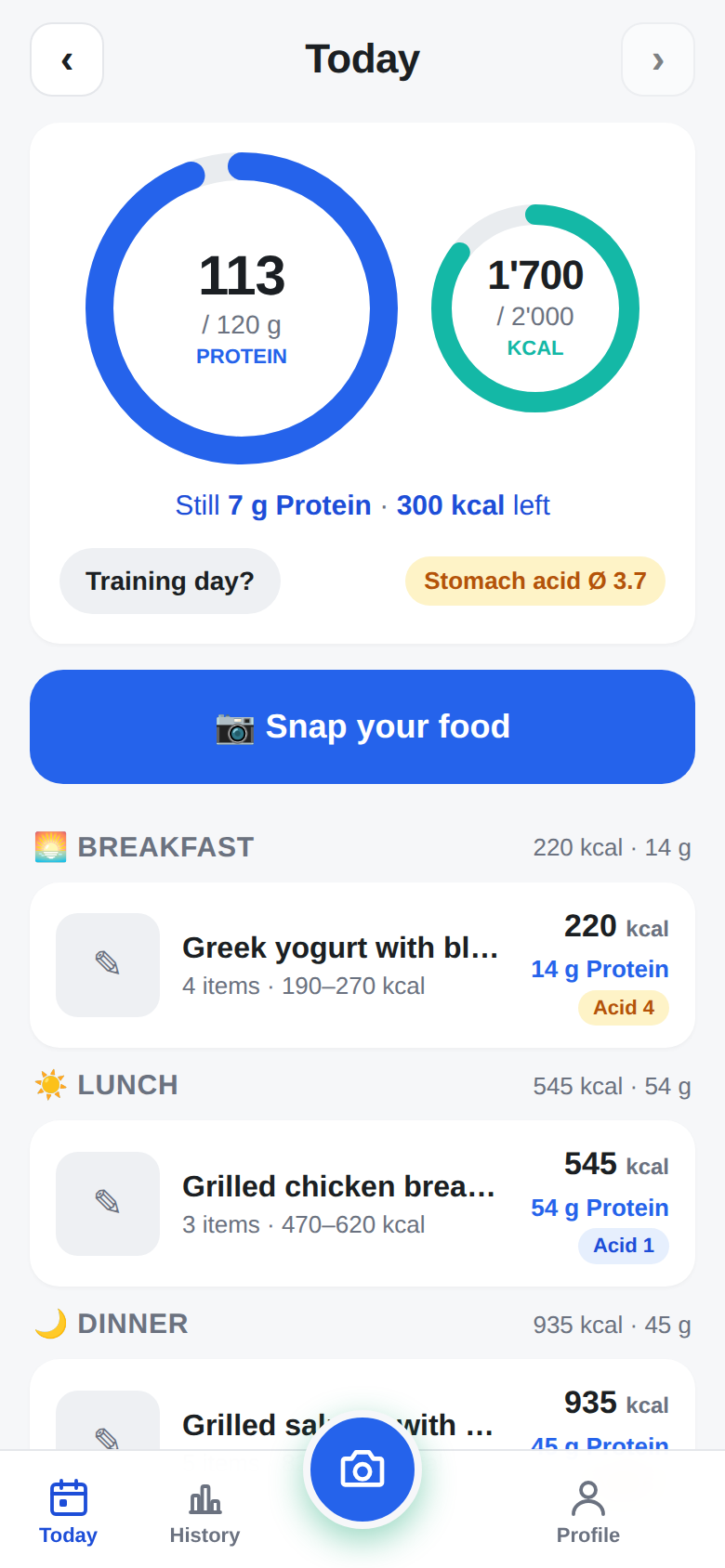
- Save the meal. Your daily view shows the accumulated protein and how much remains against your chosen goal.
What is the difference between protein intake and protein needs?
A protein logger first answers: How much have I roughly eaten? It cannot determine your individual protein needs from a food photo. Age, activity, diet and health circumstances can all matter.
ProteinLook puts your chosen protein target at the centre. It also estimates calories, carbohydrates and fat, and supports separate training-day targets. Consult a qualified professional about medical questions or special dietary requirements.
How do I read my daily protein total?
Suppose you set a target of 100 g and have logged 65 g so far. That leaves 35 g against your target. This is an arithmetic example, not a recommendation for your protein intake.
The total is only as reliable as the entries. A misidentified food or oversized portion estimate also changes the daily balance. Correct the meal rather than treating the number as a measurement. History and the 7-day average help you see longer-term patterns.
Which meals are suitable for photo tracking?
Photos are useful for mixed plates when you do not want to search for every ingredient separately. For a packaged product, the nutrition label and the amount actually eaten are generally a better starting point than an image estimate alone.
ProteinLook is not a barcode scanner or a laboratory analysis. Add known quantities to your description or correction. Plant-based meals work too: check whether tofu, legumes or a plant-based substitute have been identified correctly.
Frequently asked questions
Is ProteinLook a free protein tracker?
Yes. ProteinLook is currently free to use. Create a free account with email and password to save meals, daily totals and history.
Can I track protein without taking a photo?
Yes. Describe your meal with specific foods and amounts where possible. The AI estimates protein and other nutrients, and you review the result before saving.
Does it work for vegan meals?
You can photograph or describe plant-based meals. Recognition can be wrong, especially for similar-looking foods. Supply the actual ingredients and portion sizes when needed.
Can the tracker calculate my protein requirements?
The app offers adjustable targets for orientation. The goal ring compares logged meals with your chosen target; it does not determine medically individual requirements.
ProteinLook provides AI estimates, not nutritional or medical advice.